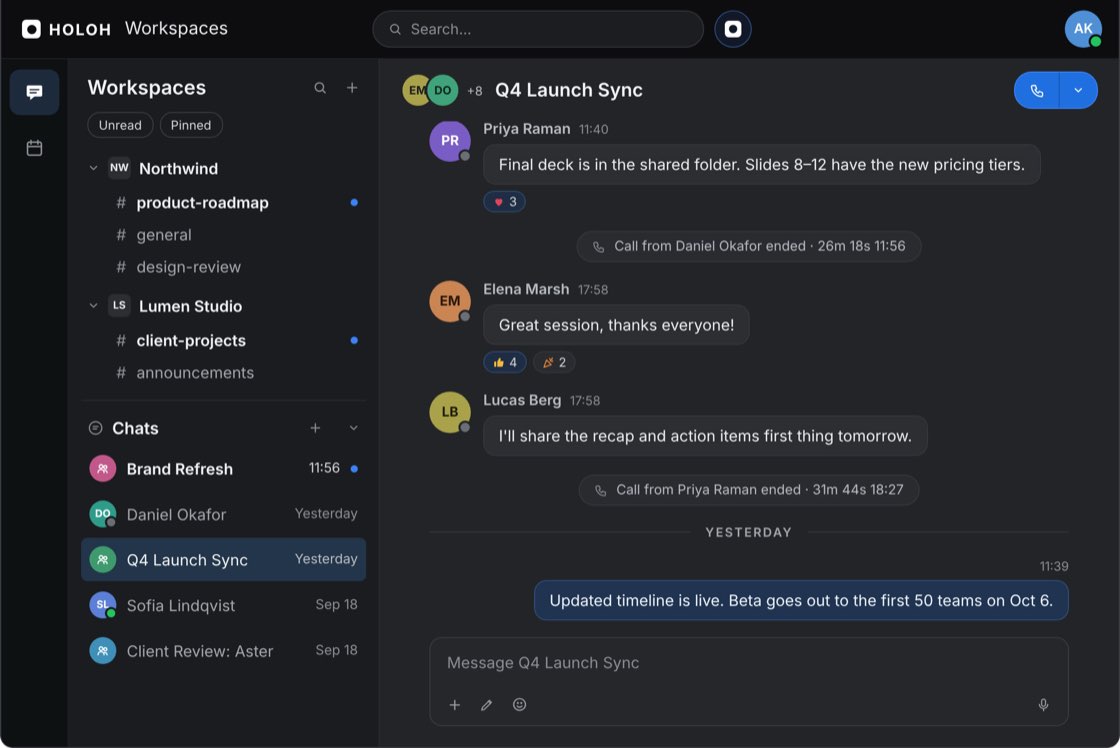
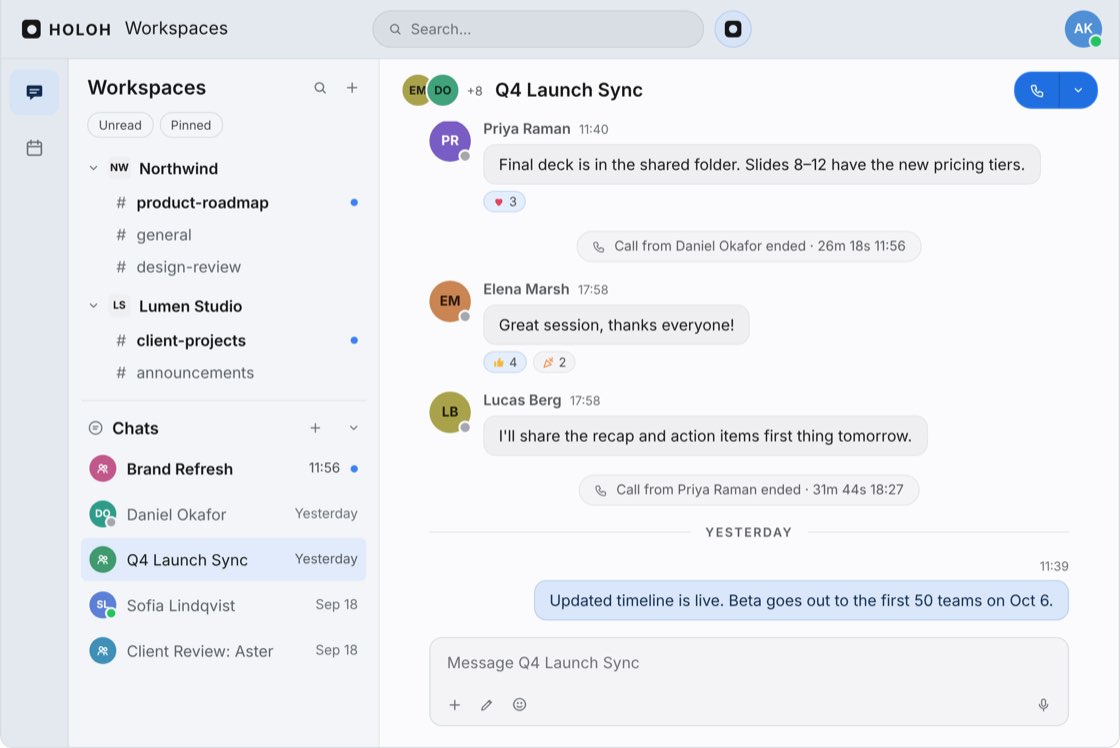
Chat, calendar and spatial calls in one place, with agents your organisation controls. Each workspace is a boundary, and confidential models keep prompts unreadable to the provider.
The question every enterprise asks about AI is where the data goes.
The workspace is the boundary. An agent in one workspace knows nothing about any other. Personal agents are private; coworker agents are confined to their workspace.
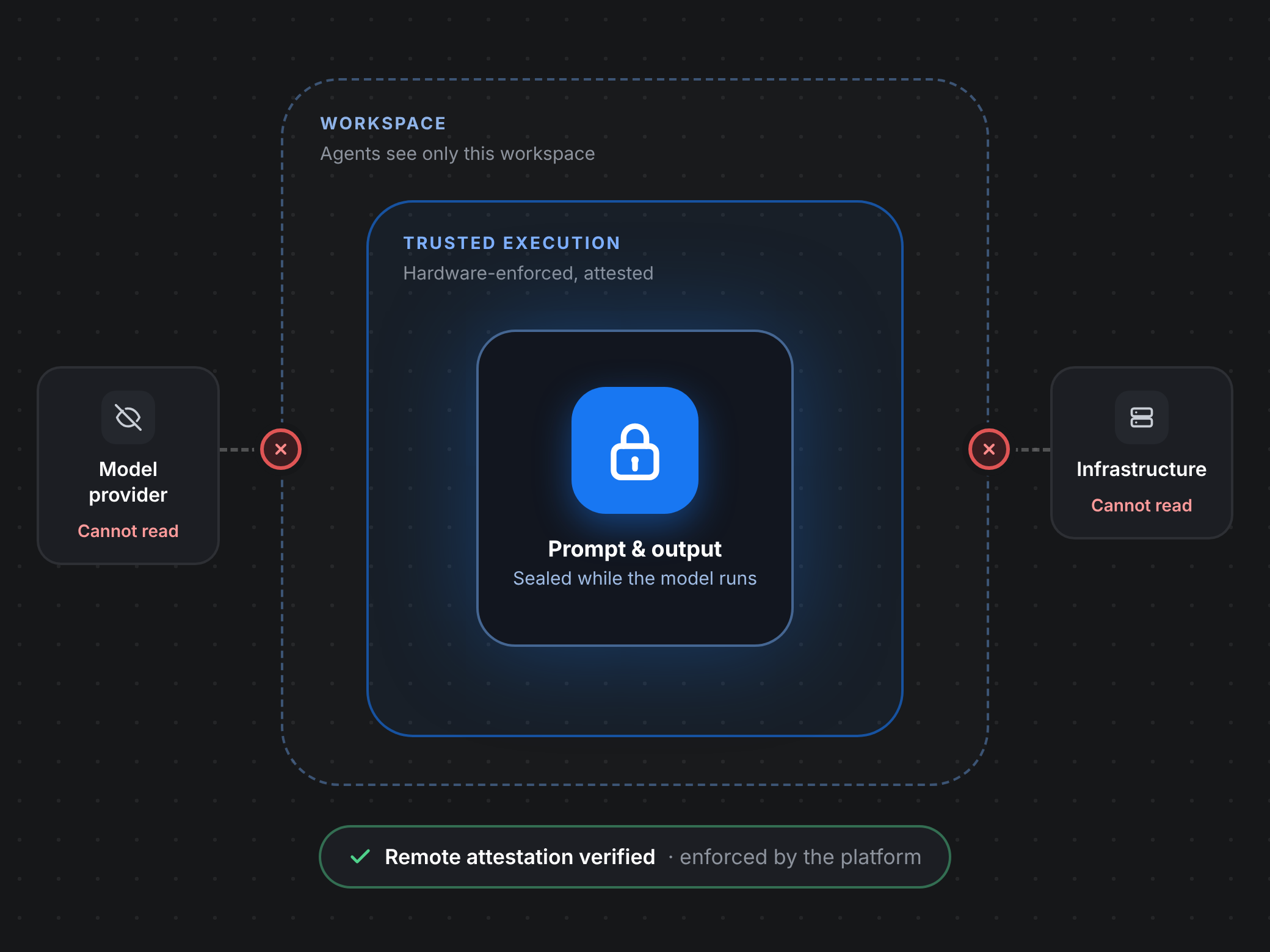
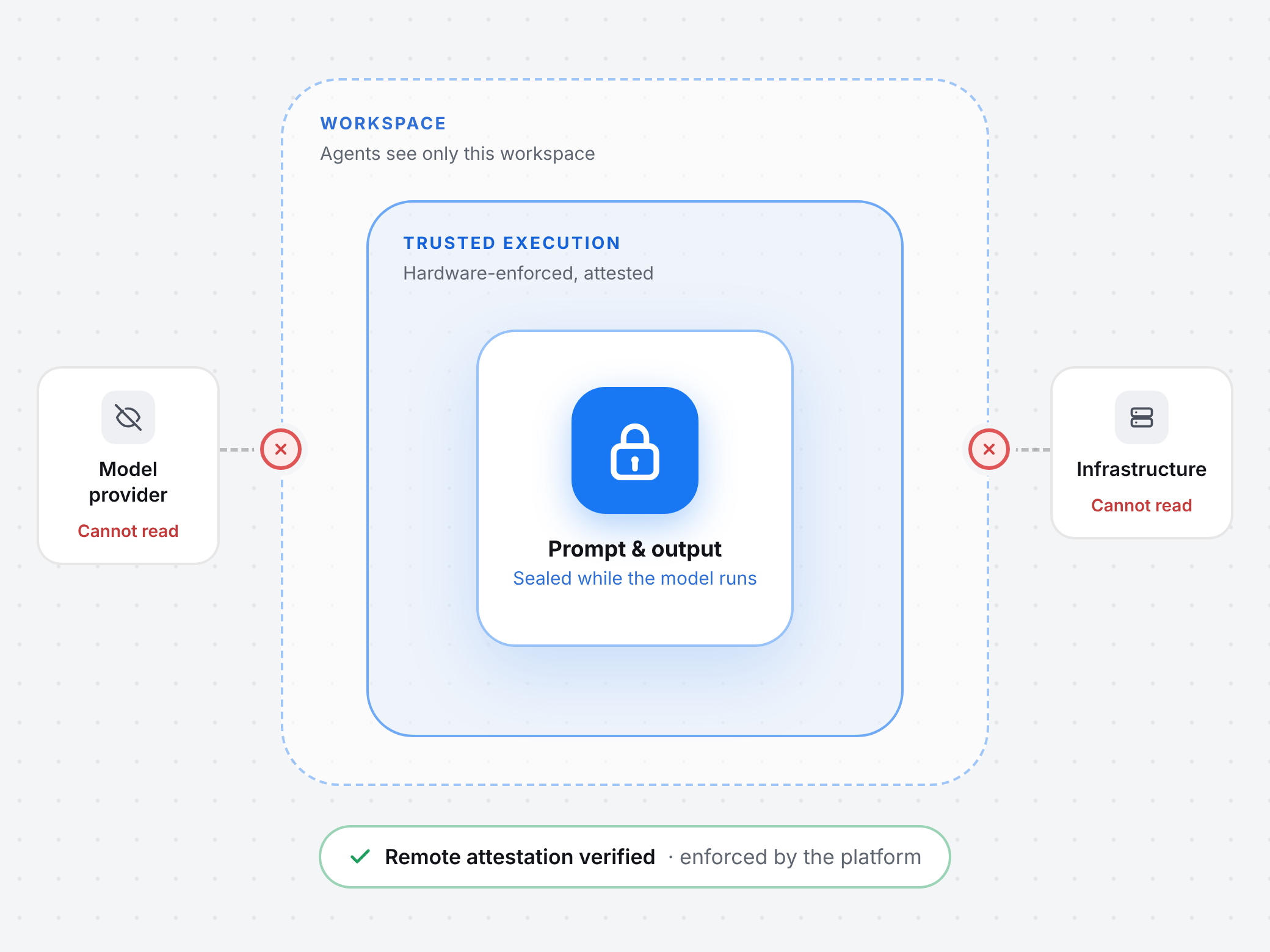
Confidential models. Agents can run on hardware-enforced trusted execution with remote attestation, so prompts and outputs are unreadable to the model provider and to the infrastructure running the model.
Enforced by the platform. The boundaries hold because the platform enforces them, not because a model is trusted to respect them.
Channels & rooms
Threaded conversations and live rooms, organized by workspace.
Every thread stays in its channel, nothing to scroll back through
Start a call from any channel or DM without leaving the conversation
Search across every workspace you belong to at once
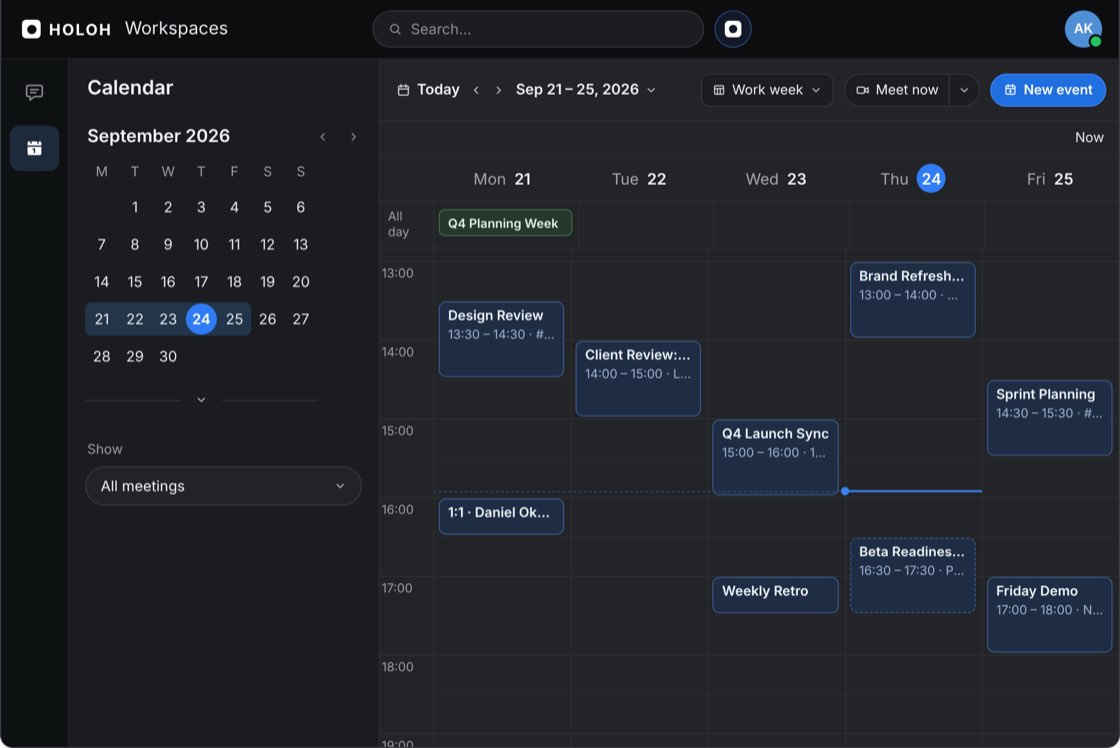
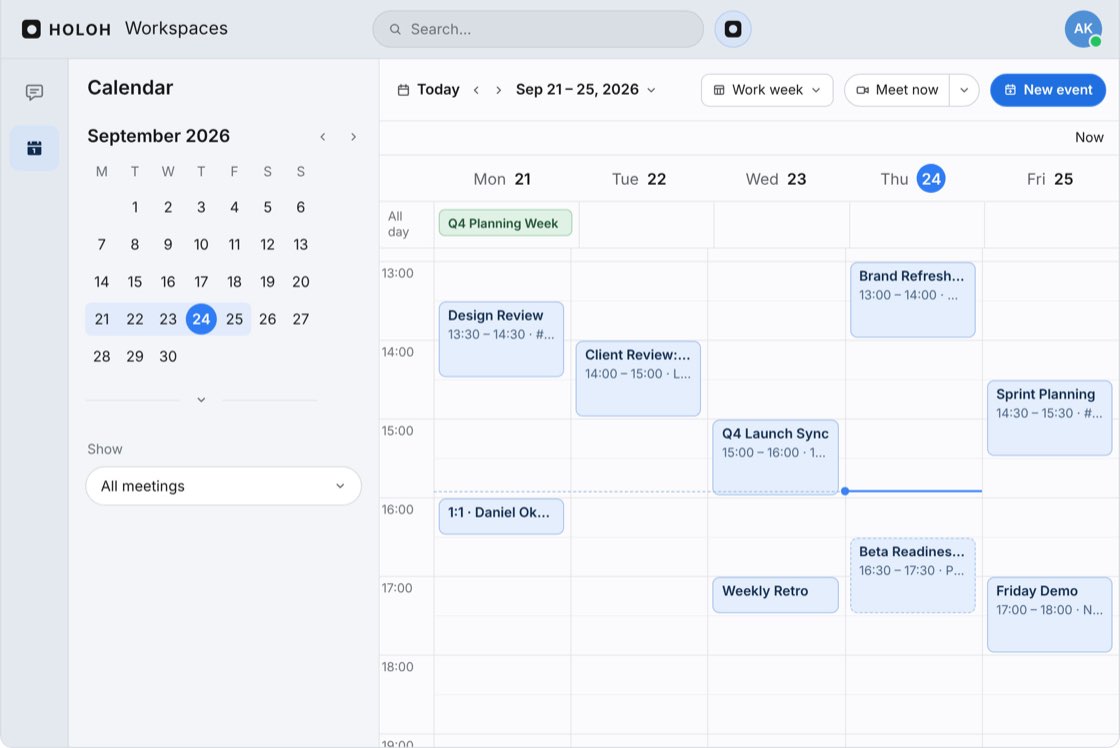
Shared calendar
A calendar is part of every working day, so HOLOH has one built in, with every meeting one click from its call.
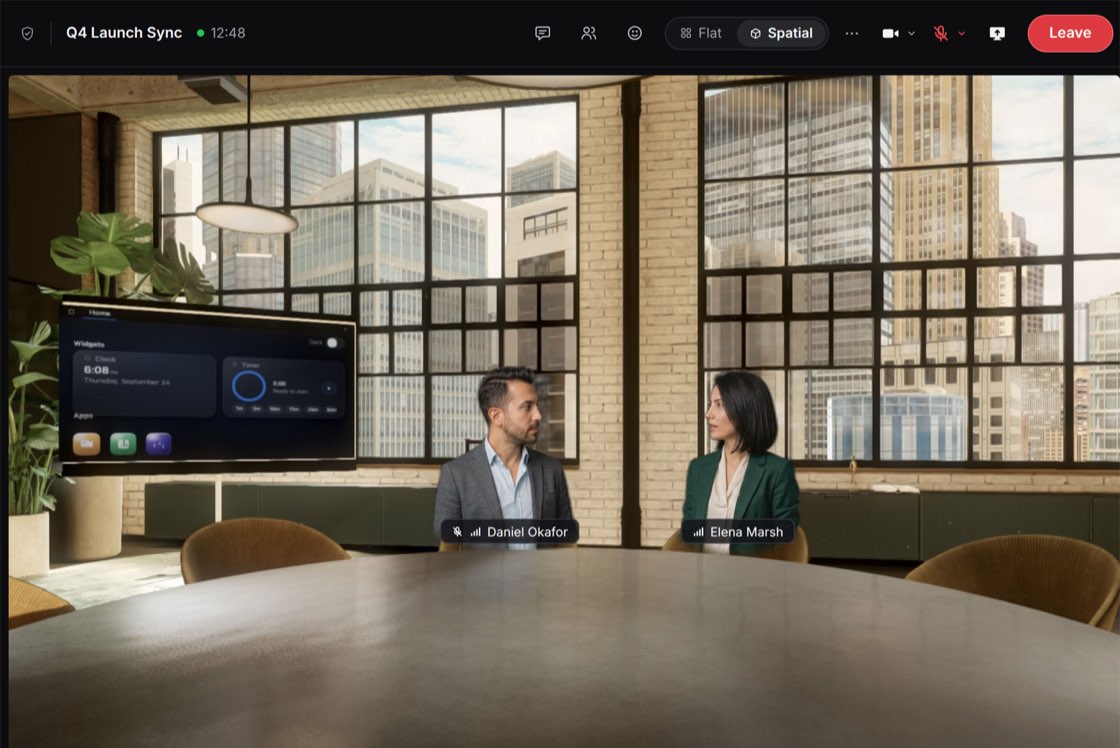
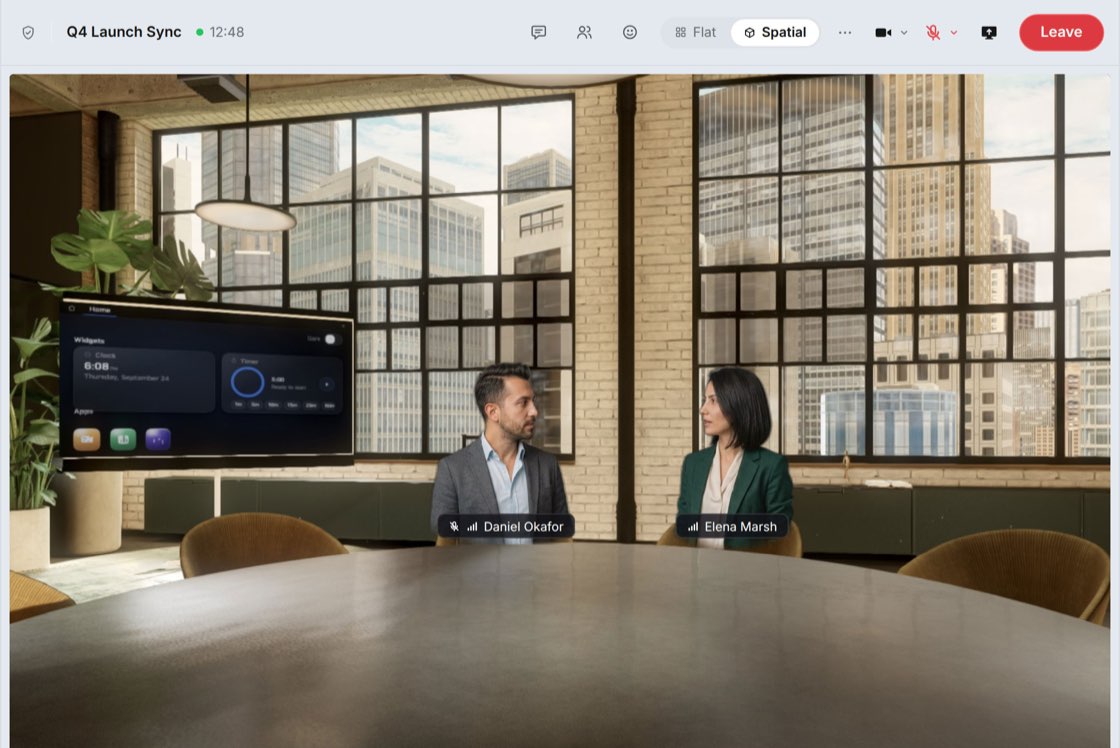
Spatial calls
Join a room straight from your browser. A webcam is all you need.
Look around, walk over, and take any open seat
Sketch together on a shared whiteboard
Switch between the 3D room and a flat 2D grid at any time
Early access
HOLOH picks up the work.
Agents you address by name, in the channel where the work already is. Switch any of them to confidential mode.
Sam in #product
"@holoh where did we land on Q3 pricing?"
Searched 3 chats
#productJul 2
DM with PriyaJul 9
Q4 Launch Sync, call chatJul 12
Confidential
Replied
Answered in thread
Two tiers, annual only, seat minimum dropped.Found in 3 chats
It searches every chat you can see and links where the answer came from.
Sam in #product
"@holoh where did we land on Q3 pricing?"
#productJul 2
DM with PriyaJul 9
Q4 Launch Sync, call chatJul 12
Answered in thread
Two tiers, annual only, seat minimum dropped.Found in 3 chats
Searched 3 chatsRepliedConfidential
It searches every chat you can see and links where the answer came from.
Priya in #launch
"@holoh turn this week into a launch report"
Read
#launch
42 messages this week
Q4 Launch Sync
Meeting chat
Confidential
Created
Q4 launch report
Summary
Decisions
Risks
Next steps and owners
Threads and calls become a finished report, posted where you asked for it.
Priya in #launch
"@holoh turn this week into a launch report"
#launch
42 messages this week
Q4 Launch Sync
Meeting chat
Q4 launch report
Summary
Decisions
Risks
Next steps and owners
ReadCreatedConfidential
Threads and calls become a finished report, posted where you asked for it.
Nora in #design
"@research compare onboarding flows across five products"
Confidential
Researched
Research brief
5 products compared, 12 sources
Discussed
"Option B is closest to ours. Should I add pricing for all five?"
N
"Yes, add it to the brief."
It brings findings back to the thread and keeps going when you reply.
Nora in #design
"@research compare onboarding flows across five products"
Research brief
5 products compared, 12 sources
"Option B is closest to ours. Should I add pricing for all five?"
N
"Yes, add it to the brief."
ResearchedDiscussedConfidential
It brings findings back to the thread and keeps going when you reply.
Your prompt
Sealed before it reaches the model
Trusted execution
Model provider
Cannot read it
Infrastructure
Cannot read it
Delivered
Answer in thread
Attestation verified, only your team can read it
Switch any agent to confidential mode: prompts and outputs stay sealed while the model runs.
Trusted execution
Your prompt
Sealed before it reaches the model
Model provider
Cannot read it
Infrastructure
Cannot read it
Answer in thread
Attestation verified, only your team can read it
Delivered
Switch any agent to confidential mode: prompts and outputs stay sealed while the model runs.
Why HOLOH
Most teams glue together five apps. We think a team's home should be one place, with AI agents as teammates.
How HOLOH keeps your team's AI confidential, and everything else you need to bring your team in. Can't find what you're looking for? The full FAQ has more, or reach out and we'll help directly.
What does "confidential by design" mean?
Your team's data stays where it belongs. The workspace is the boundary for every agent, and any agent can switch to a confidential model that keeps prompts and outputs unreadable outside it. Both are enforced by the platform, so you never have to rely on a model choosing to behave.
Who can read what we send to an agent?
Only the people who can already see it. In confidential mode, agents run on hardware-enforced trusted execution with remote attestation, so prompts and outputs are unreadable to the model provider and to the infrastructure running the model. You turn confidential mode on for your own agent; workspace admins turn it on for coworker agents.
Can an agent see another workspace, or other people's messages?
No. An agent in one workspace knows nothing about any other. Your personal agent sees only what you see and answers only to you. Coworker agents are shared, but they stay confined to the workspace they work in.
Who decides what an agent can access?
You set up your own agent: its model, tools, skills and instructions, chosen from the models HOLOH makes available. Coworker agents are set up by your workspace admins, and your organisation's admins decide whether agents can use connectors such as GitHub. Whatever is chosen, the platform checks it on the server. Your agent can only see what you can see, and a coworker agent never leaves its workspace.
How is the rest of our data protected?
Everyone signs in through Keycloak, and what you can read is scoped to the workspaces you belong to.
What can the agents do today?
You address an agent by name in the channel where the work already is. It reads and searches the channels you can already see and answers in the thread you asked in. It can find where a decision landed, recap a thread, write a report or do research for you. It is early, and we're building it in the open.
What is HOLOH Workspaces?
HOLOH Workspaces brings your team's chat, calendar and spatial calls together, with AI agents that work alongside you. It is confidential by design: each workspace is a boundary no agent can cross, and any agent can be switched to a confidential model that keeps prompts and outputs unreadable to the model provider and the infrastructure running it. One workspace instead of separate apps.
How does HOLOH compare to Microsoft Teams, Slack and Zoom?
Teams, Slack and Zoom each cover part of a team's day, with AI added on top. HOLOH puts chat, calendar and spatial calls in one workspace, with agents that are confidential by design. See how it compares side by side: HOLOH vs Microsoft Teams, HOLOH vs Slack and HOLOH vs Zoom.
Do we have to leave Microsoft Teams?
No. HOLOH calls run on Microsoft's own media plane, so a HOLOH participant can join a Teams meeting as an external participant once your Teams administrator has enabled it.
What do I need to join a call?
A webcam, a mic and a browser; Chrome works best. Join straight from the link, with no install or plugin. There is also a desktop app, on Windows today, with macOS and Linux to follow. You can switch between the 3D room and a flat 2D grid at any time.
Is anything charged today?
No. Nothing is charged during early access, and the plans on the pricing page show the direction they are heading rather than a price list.
Bring your team and its agents in.
Confidential by design, free while we build it. No card, no setup call.